Follower Export Tool for IG
Export your Instagram followers and following lists into CSV or Excel format for personal backup, reporting, and account management. Works directly in your browser.
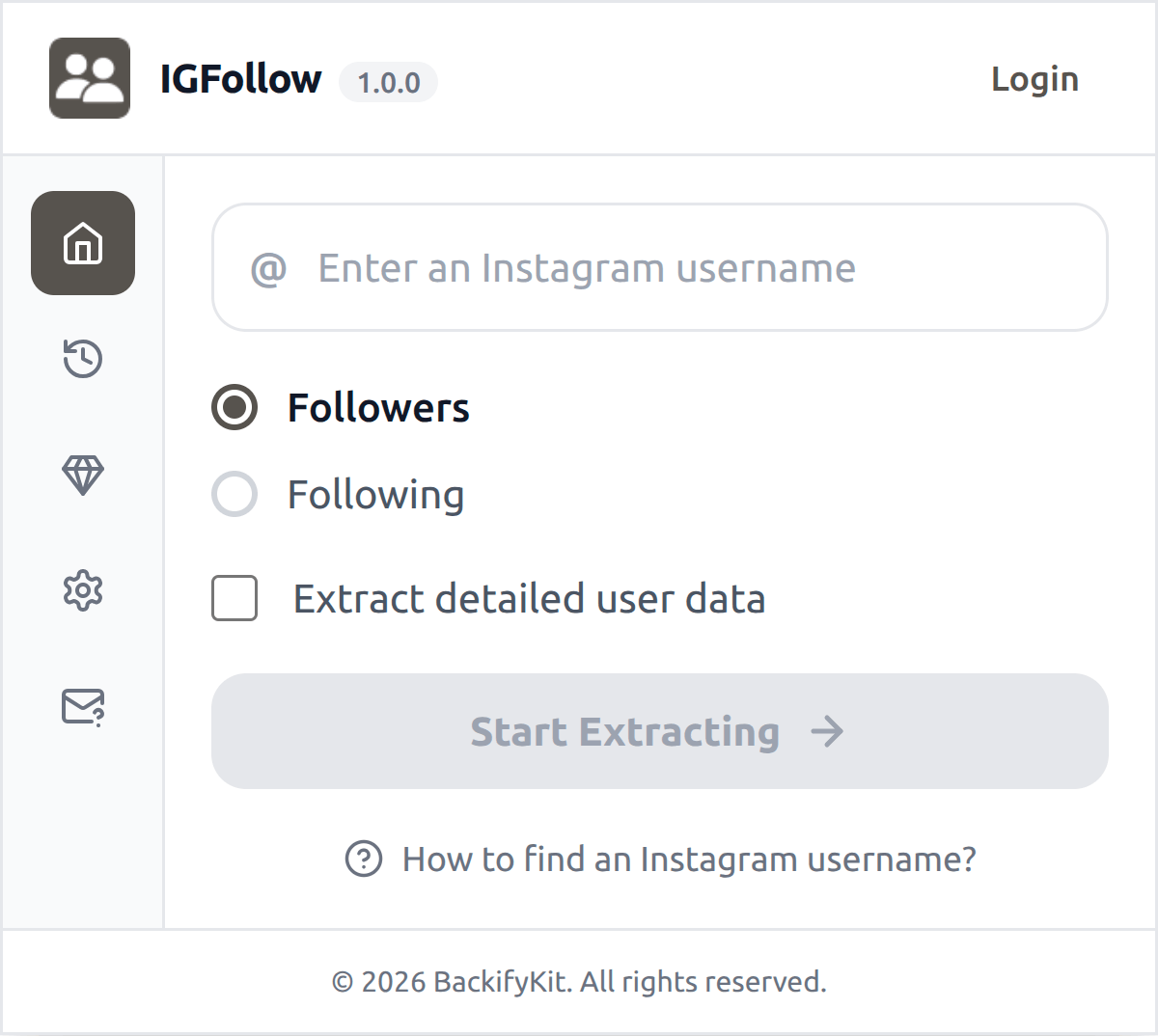
Export IG Follower List
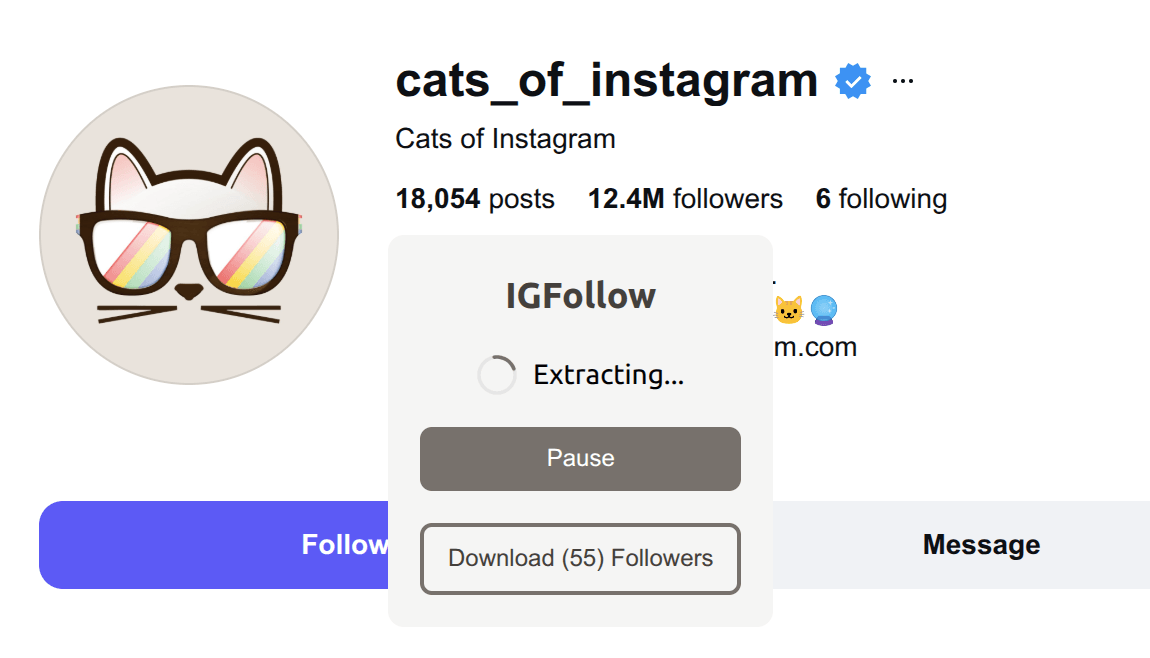
With our Follower Export Tool, exporting your followers and following list from Instagram is a breeze. Simply click a button and our powerful tool will handle the rest, exporting available public profile fields and organizing it into a convenient CSV file.
Designed for lawful, authorized use
Only export data you are permitted to access, and use exported data responsibly.
Privacy-first export
The extension runs in your browser. Exported data is processed locally on your device and downloaded directly to your computer. We do not collect or store your exported data.
What type of data can you export via our IG Follower Exporter
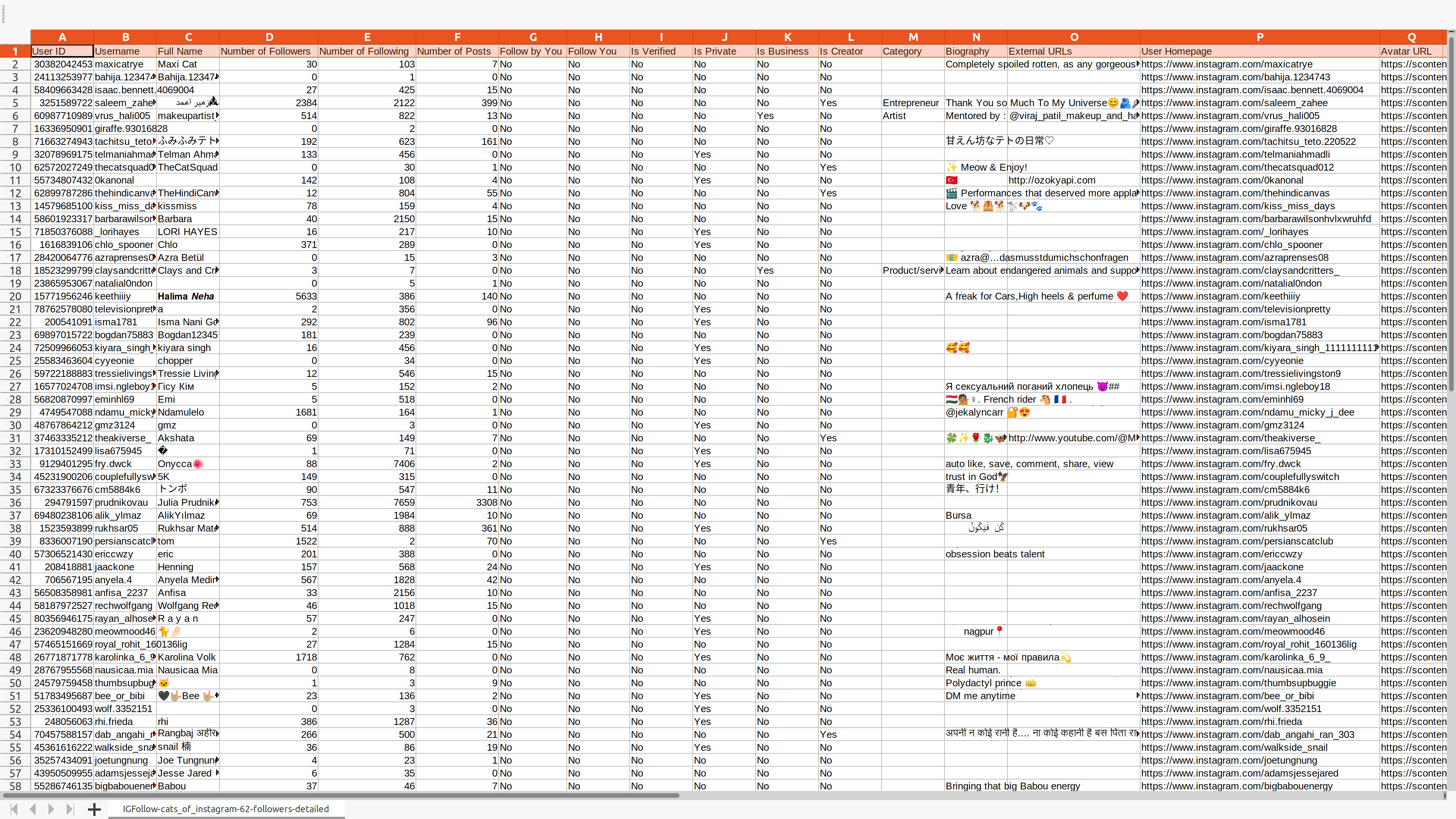
The following table lists all supported data fields.
| Field Name | Description |
|---|---|
| User ID | A unique identifier assigned to each Instagram user. |
| Username | The public name that an Instagram user chooses to represent themselves. |
| Full Name | The full name of an Instagram user, if provided. |
| Number of Followers | The total number of followers an Instagram user has. |
| Number of Following | The total number of users an Instagram user follows. |
| Number of Posts | The total number of posts an Instagram user has made. |
| Publicly visible email field shown by the profile, if available and accessible. | |
| Followed by You | Indicates whether you follow the user or not. |
| Follows You | Indicates whether the user follows you or not. |
| Is Verified | Indicates whether the Instagram account is verified or not. |
| Is Private | Indicates whether the Instagram account is private or not. |
| Is Business | Indicates whether the Instagram account is a business account or not. |
| Is Creator | Indicates whether the Instagram account is a creator account or not. |
| Category | The professional category that an Instagram user identifies themselves with. |
| Biography | The text that an Instagram user has written about themselves. |
| External URL | The URL of the Instagram user's external website. |
| User Homepage | The URL of the Instagram user's profile page. |
| Avatar URL | The URL of the Instagram user's profile picture. |
Start for free today
Sign up for a free plan today and start exporting your followers and following list.
Pricing
Start for free, stay for the value.
Free
$0
Get started for free
- Export up to 500 followers or following per time
- Include available public profile fields, where accessible
- Save data as CSV or Excel
- Custom export fields
- Resume export tasks from history
Pro
$12/month
Maximize your results with the Pro Plan
- Extract more available followers or following per time, subject to platform availability
- Include available public profile fields, where accessible
- Save data as CSV or Excel
- Custom export fields
- Resume export tasks from history
- Priority customer support
Frequently asked questions
Feel free to contact us if you have any other questions.
What is IFollow?
IFollow is a powerful Instagram follower export tool that allows you to easily export your followers and following data to a CSV file. It is useful for personal backup, reporting, audience analysis, research, and account management.How to find an Instagram username?
You can usually find an Instagram username at the top of a user's profile page, displayed in bold next to their profile picture.
How to use IFollow?
1. Enter an Instagram username, and select the export type 2. Optionally, choose whether to export detailed user data 3. Click "Start Extracting" and wait for the process to complete, then download your dataWhy does the export stop, and why am I see Instagram error messages?
Instagram may limit or block requests when activity is too frequent or unavailable. If this happens, stop exporting and return later. Do not attempt to bypass Instagram limits, access controls, or technical restrictions. This tool is intended only for lawful, authorized use.
How to upgrade my plan?
To upgrade your plan, please contact our support team with your desired plan details—we will handle the upgrade for you.Can I cancel my subscription?
You can cancel your subscription at any time through your extension's subscription page. Once canceled, you will retain access to the subscription until the end of your billing cycle.